


In the first two parts of this series, I documented the initial thrill of building a website in a weekend and the subsequent headaches of performance tuning with a forgetful AI. If Part 1 was the honeymoon and Part 2 was the reality check, Part 3 is about scaling up.
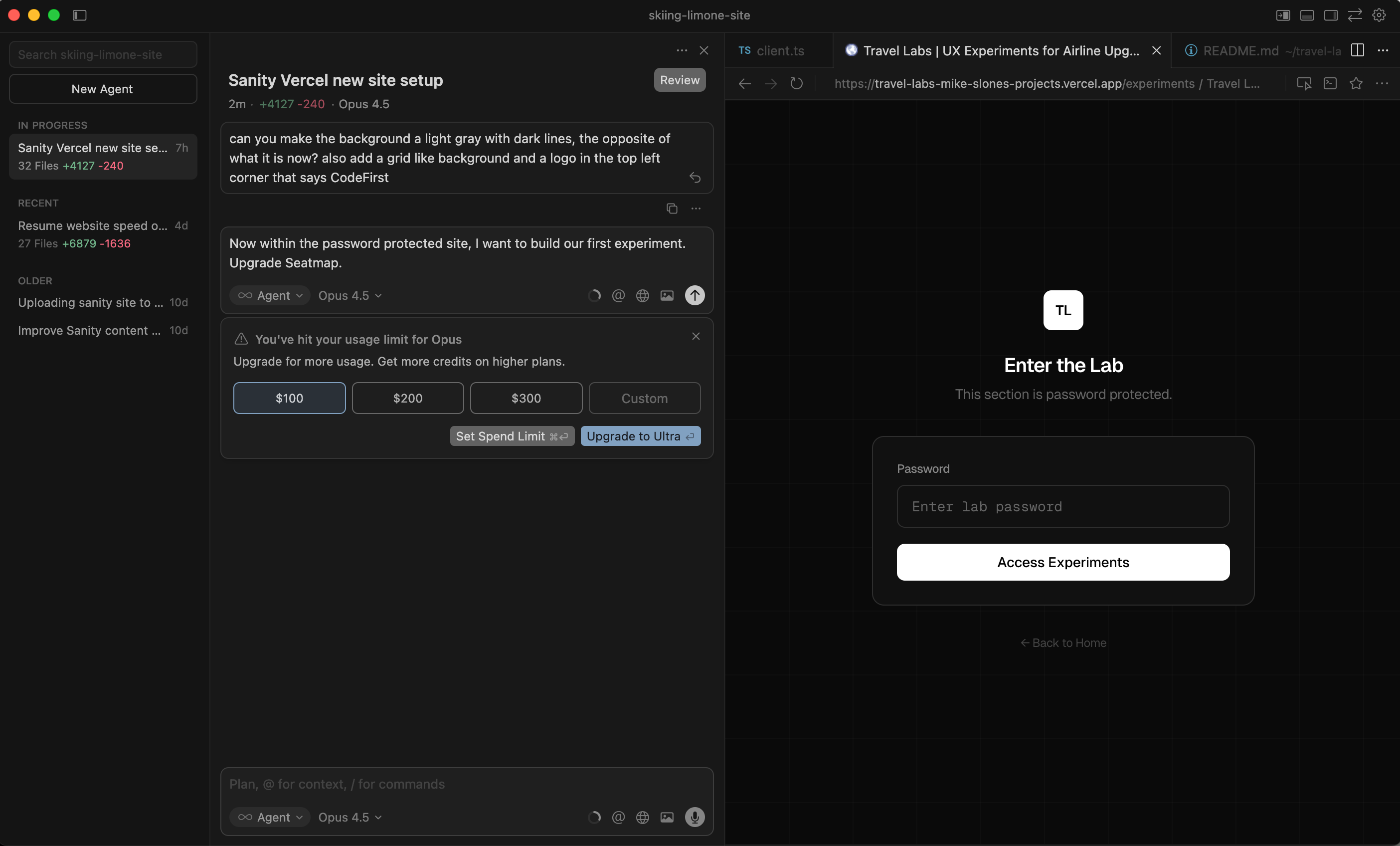
I didn’t stop at one website. Once I unlocked the workflow, I couldn’t help myself. I have now deployed three websites in less than a week.
The second project was a revelation. With the learning curve behind me, setting up Sanity via Cursor was shockingly easy. I let the AI do the heavy lifting; I simply answered questions and hit “accept.” The core setup took about 15 minutes. It felt less like coding and more like ordering off a menu.
However, as I accelerated my output, I ran into new challenges: the friction of deployment, the rising financial cost of “magic,” and the realization that content management needed a rethink.
The Deployment Bottleneck
While creating the local version of the site was a breeze, the pipeline from Sanity to GitHub to Vercel remains a sticky point. It always seems to take longer than the build itself.
For the second site, I attempted to set up a new team on Vercel. Somehow, this resulted in a duplicated team that was nearly impossible to delete, causing confusion in my deployment settings. It took an hour or so of untangling wires to get the “Local Sanity -> GitHub -> Vercel” pipeline flowing correctly. But once it was fixed, I was back to building.
The New Currency: AI Credits
Speed has a price tag. By building three sites in a week and relying almost exclusively on AI assistance, I hit a ceiling I didn’t expect so soon.
I received a notification that I had reached the “Ultra” level of usage on Cursor, pushing my monthly cost to $200. I was burning through tokens—specifically for Claude—at a rapid pace.
It wasn’t just Cursor. As I integrated other tools, I started seeing the same dreaded message everywhere: “Monthly AI credit limit reached.” This happened with Airtable, my weather API, and more. It became clear that in this new era of development, AI credits are the new currency. You aren’t paying for developer hours anymore; you’re paying for compute and tokens.
Evolving the Workflow: Goodbye Warp, Hello Airtable
My toolkit is shifting as I get more comfortable. I’ve almost completely stopped using Warp, the AI terminal I started with. Cursor has taken its place entirely, handling terminal commands directly within the editor.
But the biggest shift has been in how I handle content.
Airtable as a Content Engine
Initially, I thought scraping tools like Bardeen were the best way to gather content. I was wrong. Airtable has felt like magic.
I’ve started using Airtable’s “Field Agents” and AI capabilities to generate content rather than just scraping it. For the new site, I’m storing all content in Airtable. I set up an API that pulls this content into a cache before displaying it on the website.
It feels significantly faster and easier to pull content into Airtable using these agents than to manually enter it through the Sanity user interface. For example, I can take four distinct data points in Airtable and ask the AI to combine them into a specific type of narrative description. It allows me to manipulate data in bulk in ways that a standard CMS interface doesn’t.
The Weak Link: AI and Images
While AI is great at code and text, it is still terrible at visual judgment.
I tried asking the AI to “choose an image of a spa” from a group of options. It couldn’t do it effectively. I asked it to fetch images via a Field Agent in Airtable. While it found photos, they were of varying sizes and often low quality. If visual impact matters for your site—and for a travel site, it definitely does—you still need a human eye for photo editing and selection.
I also learned a hard technical lesson about Airtable: hosting images there is a bad idea for a live website. The image URLs are temporary and expire after a few hours, breaking the images on your site. To fix this, I had to create a script that automatically integrates these images into the Sanity CDN, ensuring they stay permanent.
When the AI Takes a Lunch Break
Despite the speed, reliance on AI has its downtimes. There have been periods where Cursor just gets stuck, likely due to connection issues with its AI partners (like Anthropic or OpenAI).
It usually resolves within an hour, but it’s a funny reminder of the human element in this digital process. It feels exactly like a developer taking a lunch break. You just have to wait for them to come back to get any work done.
Democratizing Development
Perhaps the most rewarding part of this week wasn’t the code or the websites I built for myself. It was handing these tools to my daughters.
With no prior technical training, my two daughters were able to use Cursor, Sanity, and Vercel to build their own portfolio sites. They are now live at roseslone.com and harperslone.com (still a work in progress- maybe forever).
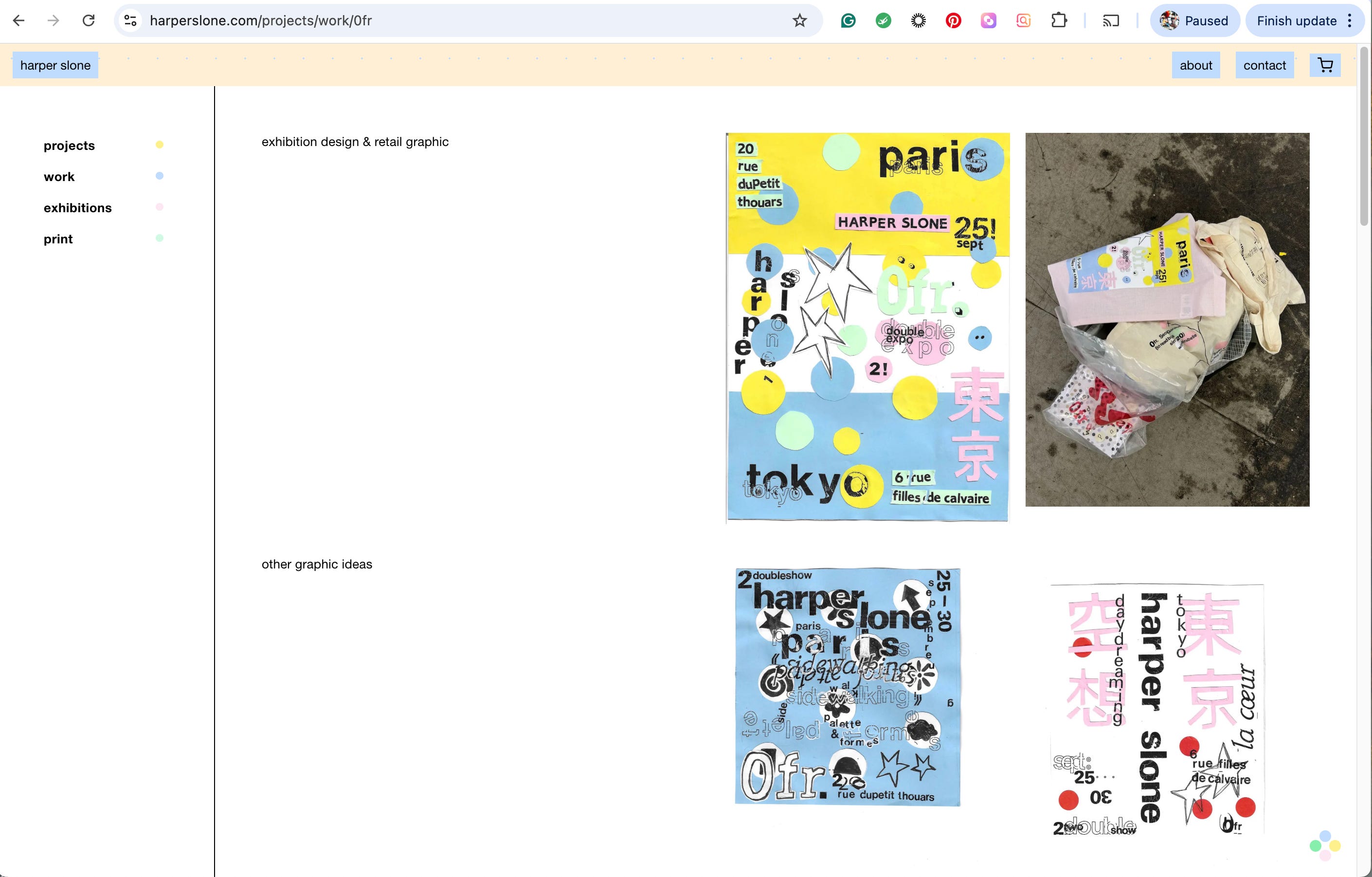
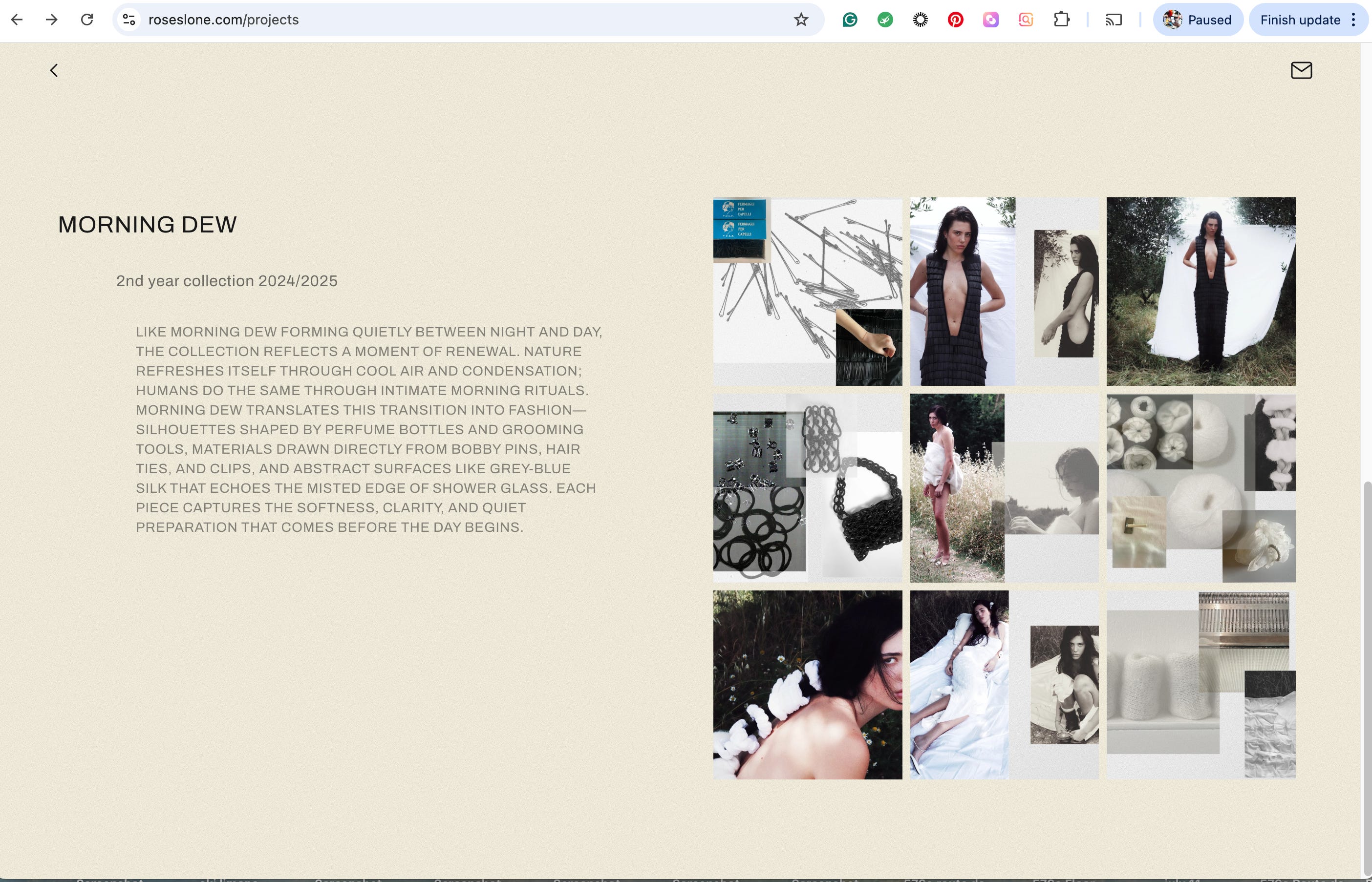
Seeing them navigate these tools confirmed what I suspected when I started this journey: the barrier to entry has collapsed. We are moving toward a world where the ability to build is limited only by creativity and the willingness to learn (and maybe a budget for AI credits).
As I look at my three live sites and my empty wallet of AI tokens, I know one thing for sure: I’m never going back to the old way of building.